

The notification area in the taskbar's corner, also called "system tray", it's a place that contains some small icons of applications that are running on your PC in background mode. Normally those icons are not a problem and sometimes they can be useful, for example, they can allow you to change the settings of a specific program with only a few mouse clicks. But when our PC has many system tray icons, they can really make your Windows run slow, because they use your system memory, and most of the time, they can become in a serious leak of your system resources, and as a result, you will not be able to use your PC performance at a 100%.
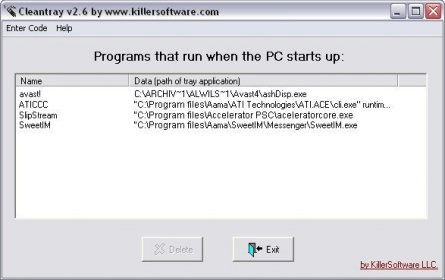
That's why CleanTray was created, a free and small utility that helps you to control and eliminate all the programs that run in background mode, and are placed on your system tray. With CleanTray you only have to select the program that you think is not necessary, press the button "Delete", and that's it. That program won't be loaded at your Windows startup and won't appear on your system tray again.
Important. In order to start using CleanTray, you have to enter a code that can be found at Killersoftware web site.





Comments